For school and district leaders
Support curriculum and instruction across your schools.
Lumerell gives teachers one place to plan, prepare, and review, and gives leaders a clear, permissioned view of curriculum and goal progress, set up the way your district chooses.
Curriculum and instructional priorities
Standards and curriculum, in the place teachers plan.
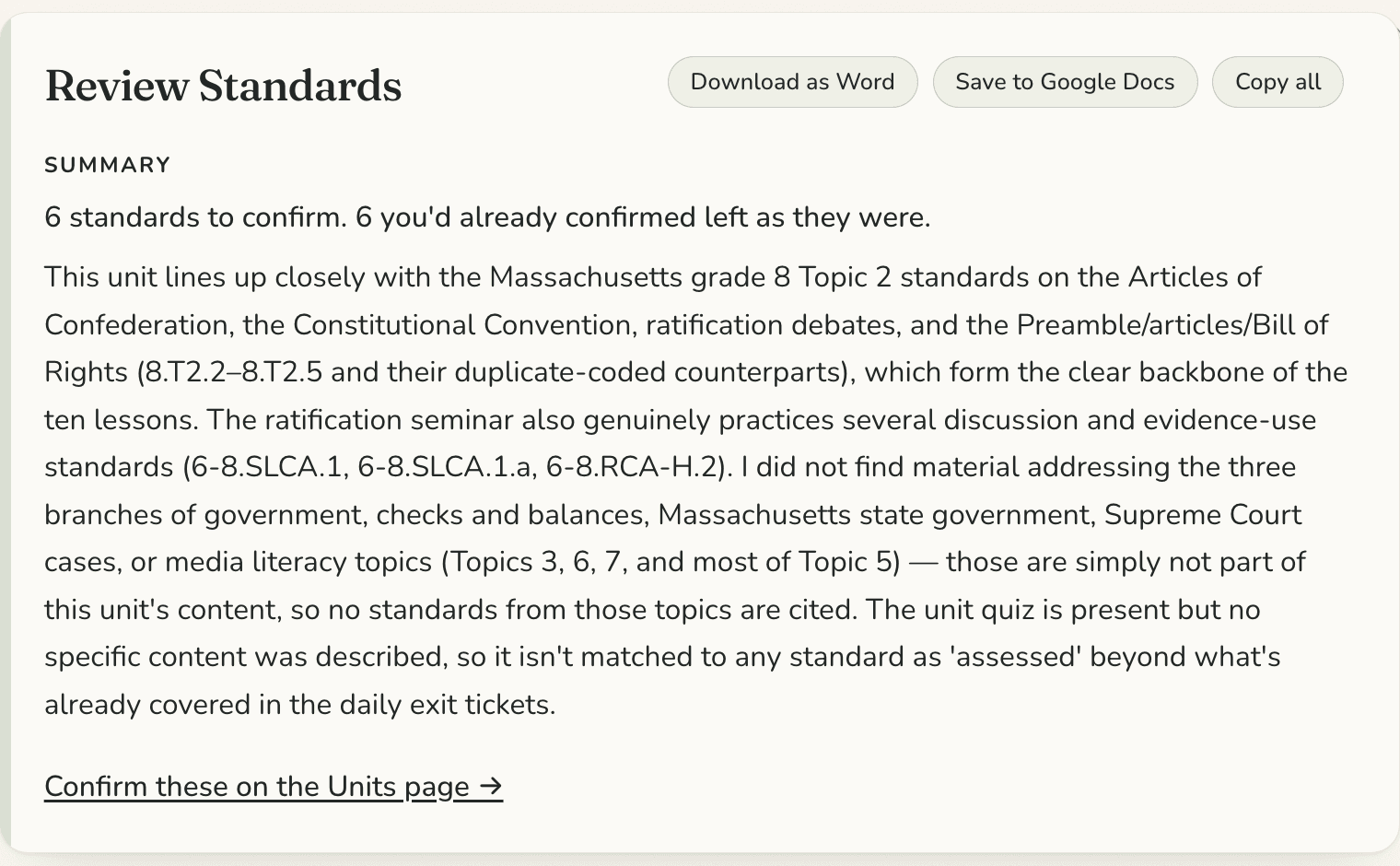
Lumerell includes published Massachusetts and New Hampshire standards frameworks. Teachers can review their units for standards alignment and see where there are gaps.
We set up your district’s default standards framework, and can add your district’s own review framework for teachers to use.
The leadership experience
What leaders work with.
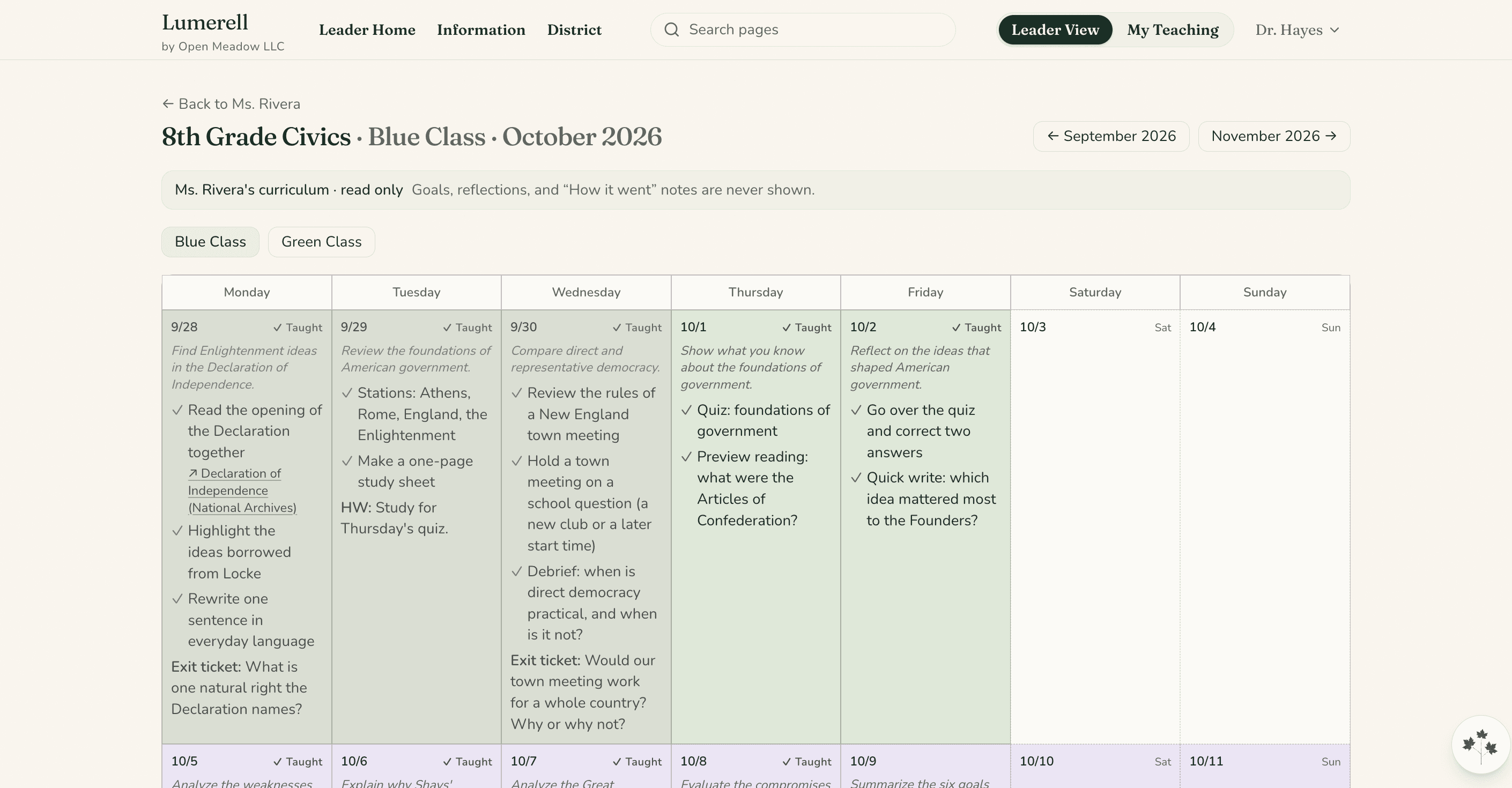
Leaders see the teachers they lead and, where the district has chosen it, a read-only view of their curriculum.
- Goal progress totals: how many teachers have a goal underway or completed, never what the goals say
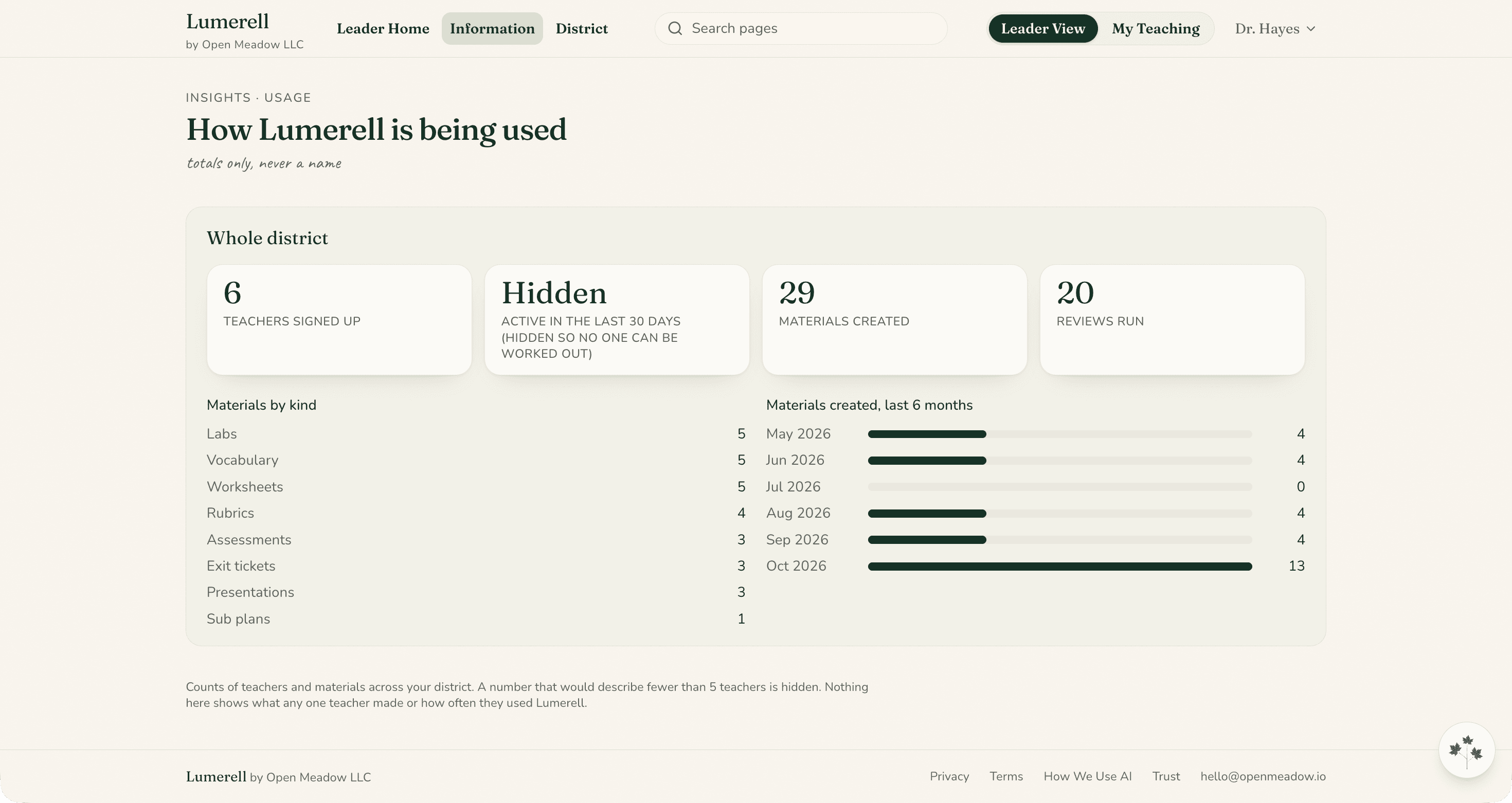
- Usage totals across schools, counts only, which leaders can print or download
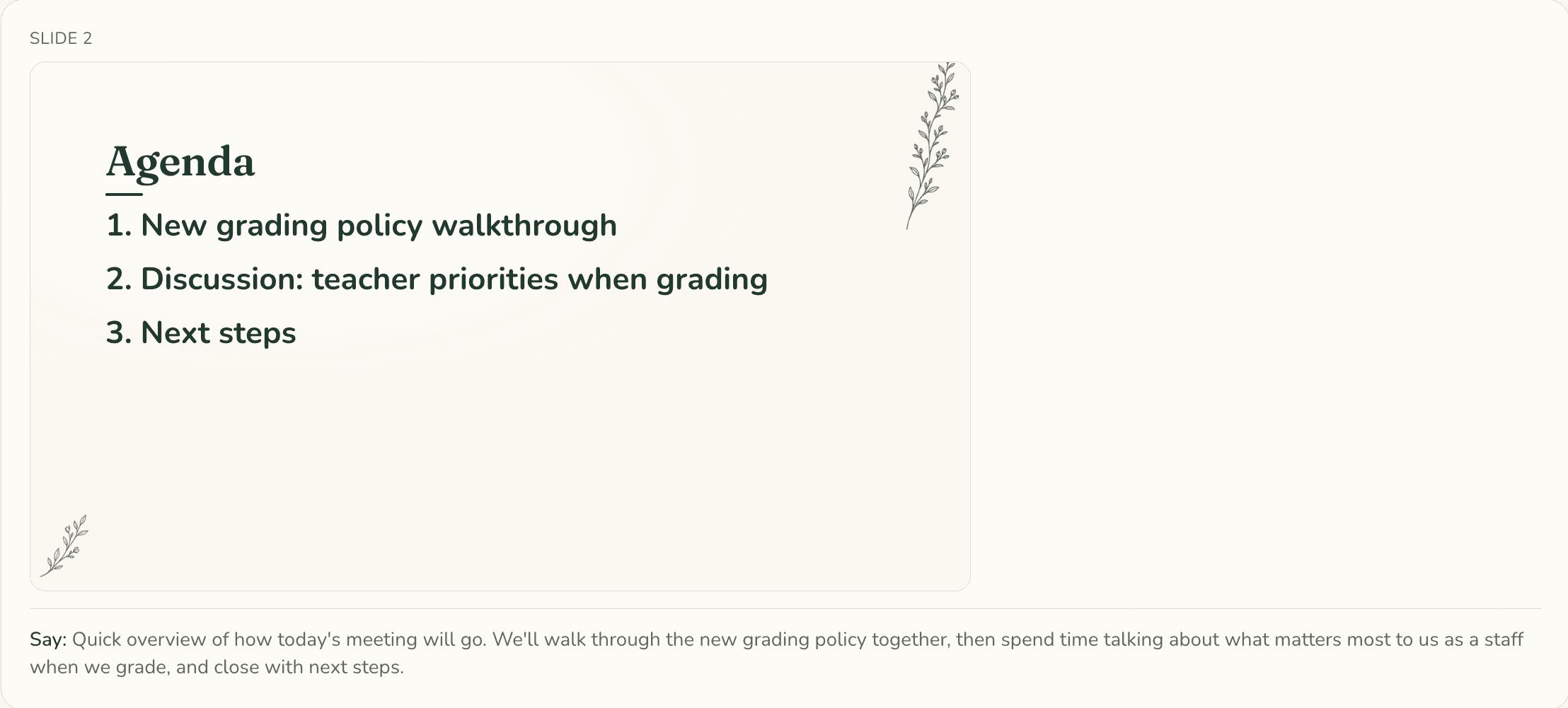
- Meeting agendas and slides for staff meetings
- A district library of shared materials
Staff meetings
Plan the meeting, not just the agenda.
Create staff meeting agendas and slides, complete with presenter notes, all in one place and ready to download.
District guidance and library
Keep your district connected.
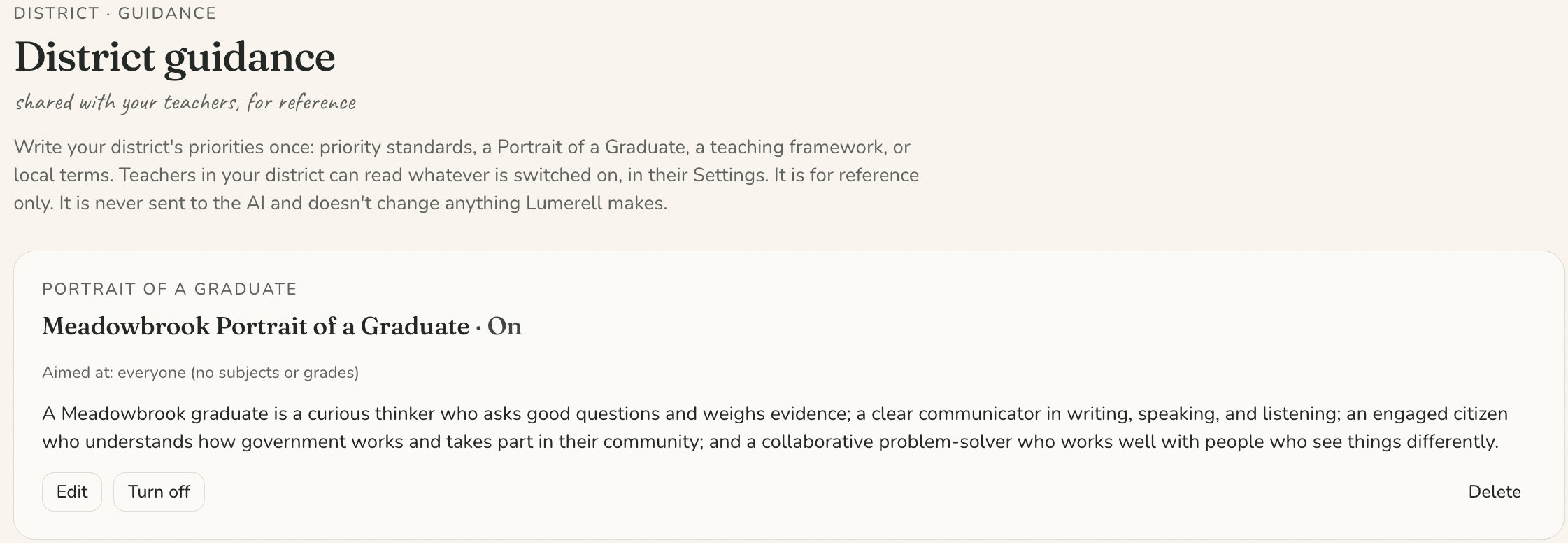
Give teachers a shared home for district guidance and instructional priorities. District leaders can publish guidance like your Portrait of a Graduate, and share links and files through a district-wide library.
The teacher experience
A leadership layer that supports everyday teaching.
Teachers get one place to plan that starts from their own curriculum, with help preparing materials and reviewing plans.
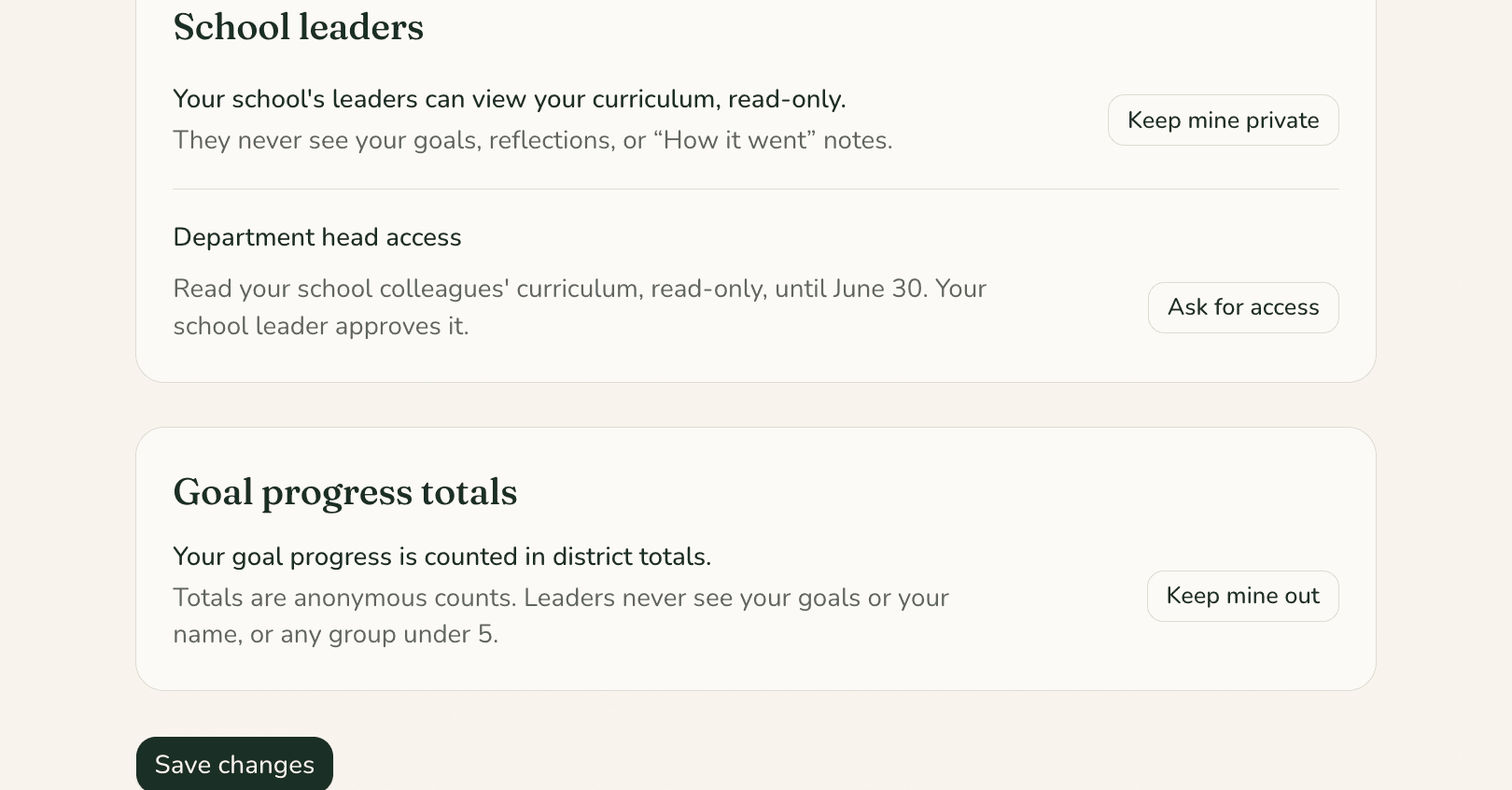
Teachers see a notice before leaders can read their curriculum, and can turn that off in Settings at any time.
Control and visibility
Exactly who can see what.
- Curriculum
- Leaders can read a teacher’s curriculum only when all of these are true: the district chose this, a district leader turned it on, and the teacher has clicked “Got it” on a notice and hasn’t turned it off. Read means read: leaders can’t change a teacher’s plans. District leaders can read curriculum for every school in the district.
- Goals and reflections
- Leaders never see the contents of teachers’ goals, goal evidence, reflections, “How it went” notes, sub plans, or review results.
- Usage
- Usage numbers are totals only. They never show a teacher by name, and groups of fewer than five teachers are hidden.
Adoption
What getting started involves.
We keep this simple and talk it through with you. Nothing here is a commitment.
Step 1
A demo conversation
We walk through Lumerell with the people who’ll use it, using example content.
Step 2
Scope
Together we decide what your district turns on, such as the leader view, and agree terms in writing.
Step 3
Setup
We add your district’s email domain so teachers can sign in with Google or an emailed sign-in link.
Step 4
Support
Questions go to the founders directly at hello@openmeadow.io.
By role
The question each leader brings.
Curriculum leaders
“Is our curriculum being taught as planned?”
Department heads can be given read-only access to their school’s curriculum, approved by a school leader, and teachers can review units against your standards framework.
Principals
“How do I support my teachers without adding to their load?”
See the teachers you lead and, where your district has chosen it, their curriculum, while teachers keep control of their own work.
Superintendents
“What are we getting across the district?”
Totals of how Lumerell is used across schools, and goal progress counts, without singling out any teacher.
Technology teams
“What data does this hold, and where?”
Our Privacy & Trust page and Privacy Policy explain the data Lumerell needs, the providers it uses, and where data is stored. Email us with review questions.
Questions
Questions leaders ask.
Is a pilot available?
We’re talking with schools and districts one at a time. Email us and we’ll tell you what’s possible for yours.
How does pricing work?
Lumerell is licensed to a school or district under a written agreement. We’ll talk through pricing after a demo.
Which standards are supported?
Massachusetts and New Hampshire standards, drawn from published frameworks through the Common Standards Project. We set up your district’s default framework.
Does it work with the systems we already use?
Teachers can sign in with Google or an emailed link, pick files from Google Drive, and save to Word, PowerPoint, or Google Docs.
Lumerell does not connect to Google Classroom or to student information systems.
What does onboarding look like?
After we agree on scope, we add your district’s email domain so your teachers can sign in. We’ll walk your team through it.
How is data handled?
Lumerell is hosted in the United States. The providers that help draft materials and reviews do not use what we send them to train their models, and we don’t sell data or use it for advertising.
Read the Privacy & Trust page and the full Privacy Policy.
What can administrators see and change?
Leaders see a list of the teachers they lead. They can read teachers’ curriculum only when the district chose it, a district leader turned it on, and the teacher has clicked “Got it” on a notice and hasn’t turned it off. They can’t change a teacher’s plans. District leaders can read curriculum for every school in the district.
They never see the contents of goals, reflections, “How it went” notes, sub plans, or review results.
See it for yourself
Bring your team. We’ll show you the leader view.
Tell us a little about your classroom, school, or district, and we’ll show you how Lumerell fits the way you already plan.